

Certificate To Your LinkedIn Profile

How To Add Your LangNation Certificate To Your LinkedIn Profile
Did you successfully complete one of our courses, programs? Then it’s about time to show your newly acquired language skills to your professional network and potential employers! You can add your LangNation certificate to your LinkedIn profile by following these three simple steps.
Step 1:
Log in to your LinkedIn account, then go to your profile.
Step 2:
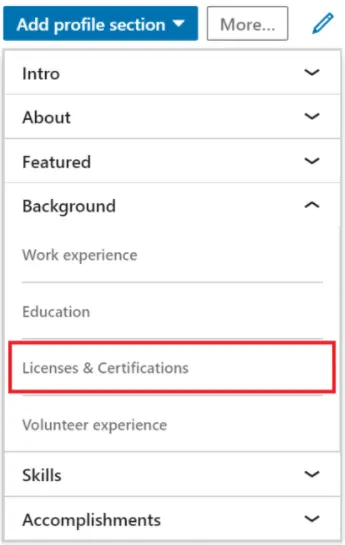
On the right-hand side, click on the “Add profile section” dropdown, choose “Background” and then select “Licenses & Certifications”.
Step 3:
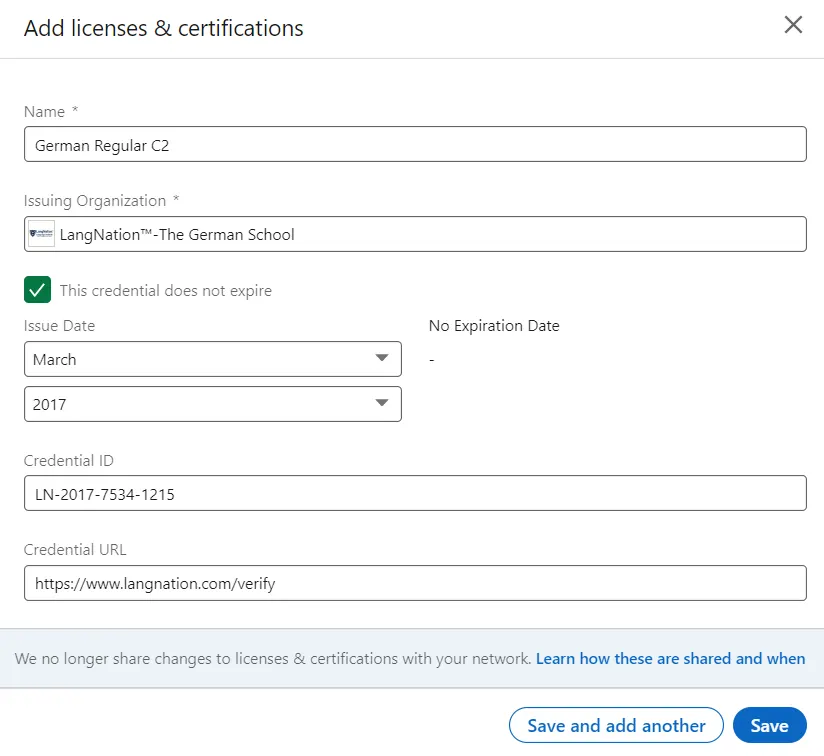
Enter the following information:
- Name: Enter the name of the course certificate
- Issuing Organization: Enter “LangNation-The German School”
- Issue Date (optional): Enter the issue date of your certificate
- No expiration (optional): Select the checkbox “This credential does not expire”
- Credential ID: Enter the ID that you can find at the bottom right corner of your certificate
- Credential URL: Enter /verify
Your form should look similar to this example:
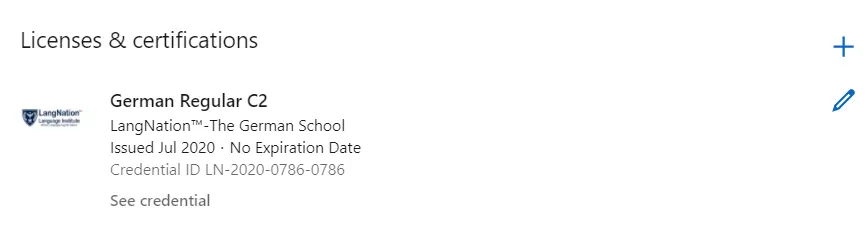
That’s it! Your certificate will now be part of your LinkedIn profile (see example below).
Bonus Step:
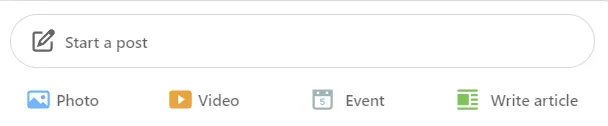
If you want to actively inform your network about your achievement, you can also go to your LinkedIn feed and write a post about your experience at LangNation. You will also find the option to upload your certificate by selecting “Document” when writing your new post.
Not sure which level you need?
Tell us your goal and we will recommend a course and a start date. No obligation.
Request a call back